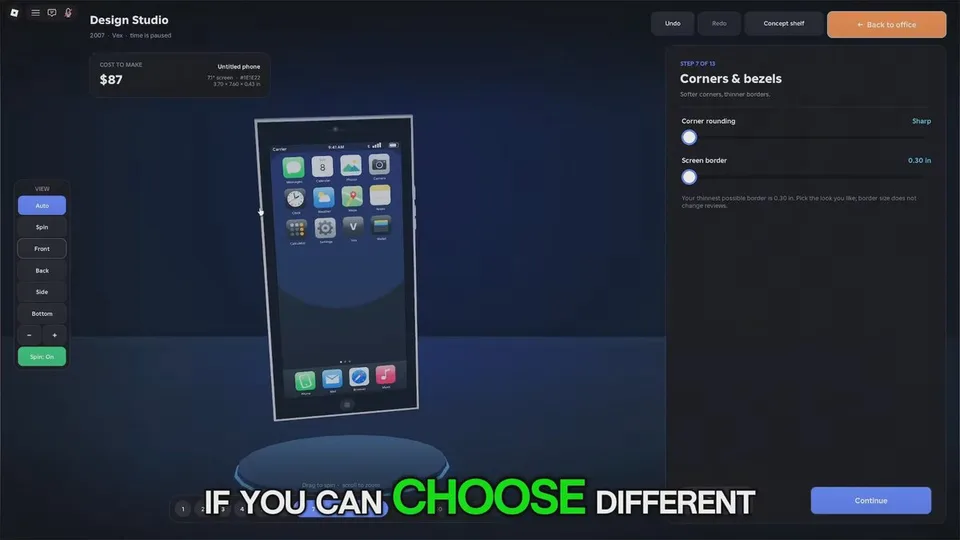
The seven published controls
The experience listing names screen size, cameras, corners, buttons, colour, finish, and logo. You pick the parts, set the price, and hand the device to your team. No official stat table prices those options.
| Control | What is confirmed | What to decide |
|---|---|---|
| Screen size | You set it. A walkthrough says a larger display raises unit cost and does not hurt the review score | Pay for size only when the unit cost still leaves a margin |
| Cameras | You choose them. Session notes mention placement, cutout shape, and megapixels | A richer camera is a price decision, not an automatic sale |
| Corners | You shape them. Rounder corners read softer | Pair the look with a price you can defend |
| Buttons | You place them | Keep the first phone understandable |
| Colour | You choose the colour | Make the product recognizable before you buy a finish pass |
| Finish | Finish is a published control. Premium Finishes, 35 Robux, names Matte Black, Rose Gold, Midnight Green, Sunset Fade, Carbon, and Pearl | Cosmetic. It does not replace a price test |
| Logo | Logo is a published control. Logo and Wallpapers, 25 Robux, says you choose the back logo and the screen wallpaper | Wallpapers are named on the pass, not in the main design sentence |
Chassis names from session guides
Gameplay writeups name early bodies as Chrome Slab, then Glass Sandwich and Contour, and later bodies as Titanium Flat, Ceramic Slim, and Air Thin. Ports move from Mini USB and Micro USB toward wireless charging. Those names are not on the experience listing. If your designer uses different labels, follow the screen you have.
A practical first phone
Make one coherent phone and launch it. If critics are harsh or sales are thin, change one control or the price. Maxing screen, camera, shell, and material in the garage is the failure mode every detailed guide warns about: unit cost rises faster than early buyers will pay.
Reported early unit costs sit around $59. Mid-era phones with newer chips and glass bodies are described around an 8.5 to 8.9 review with retail prices in the hundreds. Late flagships are described at roughly $280 to $300 a unit and retail prices from about $1,200 to $2,000. Those bands are session reports. Your review screen is the number that matters. The calculator will do the subtraction after you type them.
A second design
Extra Design Slot is 99 Robux. The catalog line says you build two devices at the same time. It does not say how many slots you start with. Use a second design when one phone is already selling.
Releasing a new model with almost the same technology as the phone you already sell is reported to cut demand for the newer one. Wait for a real research step, then design the next device. Phones come first. Tablets through laptops are in research.